Get ahead
VMware offers training and certification to turbo-charge your progress.
Learn moreApache Maven is a very popular choice in the Java community for building and deploying applications. The Cloud Foundry team has released the Cloud Foundry Maven Plugin to integrate with applications’ development lifecycle, including deployment to the cloud. The same Maven plugin can be used to manage application pushes and updates to any Cloud Foundry instance.
One of Cloud Foundry’s main promises is to make your life as a developer a whole lot easier without limiting available choices. Cloud Foundry not only supports a plethora of languages (Java, Groovy, Scala, Ruby etc.) and frameworks (Spring, Grails, Rails, Sinatra, Lift etc.) but it also allows you to deploy your applications to different environments. This includes public clouds, such as Cloudfoundry.com and AppFog.com, partner-provided cloud offerings, single VM Micro Cloud Foundry, and your own private cloud using Cloud Foundry open source, which is available to everyone under a very liberal Apache License v2.
We want to give you complete choice on how you deploy your applications to Cloud Foundry. So far you can pursue the following avenues:
With the Cloud Foundry Maven Plugin, you can build and deploy your application simply using a command such as:
$ mvn cf:push
If you’re unfamiliar with Maven, take a look at Josh Long’s blog posting titled Green Beans: Getting Started with Maven and Spring.
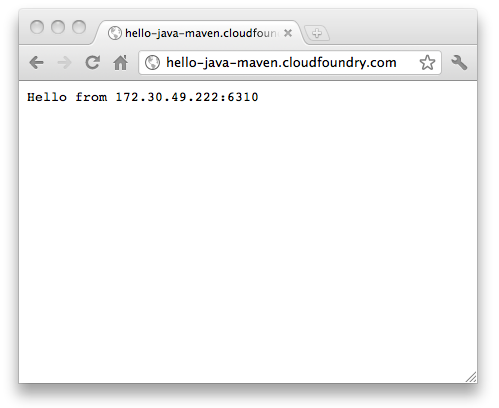
Let’s download and build the sample application (Please make sure Git is installed):
$ git clone https://github.com/SpringSource/cloudfoundry-samples.git
$ cd cloudfoundry-samples/hello-java
$ mvn clean package
This should result in a war-file named ‘hello-java-1.0.war’ being generated in the project’s target folder.
    <plugin>
        <groupId>org.cloudfoundry</groupId>
        <artifactId>cf-maven-plugin</artifactId>
        <version>1.0.0.M1</version>
    </plugin>
Additionally, the milestone release of the plugin is not available in the Maven Central repository, yet. Therefore, please ensure that you also add the Spring Framework Milestone Repository to the pom.xml file as well:
 <pluginRepositories>
         ...
	<pluginRepository>
	    <id>repository.springframework.maven.milestone</id>
	    <name>Spring Framework Maven Milestone Repository</name>
	    <url>http://maven.springframework.org/milestone</url>
	</pluginRepository>
        ...
</pluginRepositories>
This represents the most basic configuration possible. Of course you typically want to add a few more configuration options such as:
    <project>
	      ...
	    <build>
	        <plugins>
	            <plugin>
	                <groupId>org.cloudfoundry</groupId>
	                <artifactId>cf-maven-plugin</artifactId>
	                <version>1.0.0.M1</version>
	                <configuration>
	                    <server>mycloudfoundry-instance</server>
	                    <target>http://api.cloudfoundry.com</target>
	                    <url>hello-java-maven.cloudfoundry.com</url>
	                    <memory>256</memory>
	                </configuration>
	            </plugin>
	        </plugins>
	    </build>
	      ...
    </project>
What about the Cloud Foundry login credentials? While it is possible, to store those credentials as configuration parameters in the pom.xml file, we recommend storing those separately in Maven’s settings.xml file instead. This file is usually located in your user home directory under the .m2 folder, e.g. ~/.m2/settings.xml.
A typical entry might look like this:
    <settings>
        ...
	    <servers>
	        ...
	        <server>
	          <id>mycloudfoundry-instance</id>
	          <username>[email protected]</username>
	          <password>s3cr3t</password>
	        </server>
	    </servers>
	    ...
    </settings>
Notice that in your pom.xml you reference the server parameters in settings.xml using the configuration parameter (value ‘mycloudfoundry-instance’), that matches the element in settings.xml. As yet another option, you can also provide the Cloud Foundry credentials as command line parameters.
Keep in mind that ALL configuration parameters can also be set via command line properties, which can be quite handy for one-offs, testing etc. For example, you can express all configuration parameters shown above as:
$ mvn cf:info [email protected] -Dcf.password=s3cr3t -Dcf.memory=256 -Dcf.url=hello-java-maven.cloudfoundry.com \
              -Dcf.target=http://api.cloudfoundry.com
The command line parameters of the Cloud Foundry Maven Plugin take precedence over pom.xml based parameters. Furthermore, many of the configuration parameters have sensible defaults. For more details please read the reference documentation at https://github.com/cloudfoundry/vcap-java-client
For the sake of this example, we continue using the expanded configuration in pom.xml and settings.xml.
Now that we have configured the plugin for our project, we should be good to go to execute a few commands. Generally, all calls using the Maven plugin follow a similar pattern:
$ mvn cf:<<command>> [-Dcf.some_parameters] [-Dcf.some_other_parameter...]
Let’s do our initial deployment and push the application to Cloudfoundry.com:
$ mvn cf:push
This will probably fail as the url we defined above for the application (hello-java-maven.cloudfoundry.com) has already been taken (my instance). Consequently, you will see the following error message:
...'The URI: "hello-java.cloudfoundry.com" has already been taken or reserved'...Therefore, please make sure that the url chosen for your application is not already in use by someone else. Please retry using a unique url parameter - and a few seconds later I can hopefully congratulate you for deploying your first application to Cloud Foundry using Maven!
Next we will do an application update. Let’s edit:
/src/main/java/org/cloudfoundry/samples/HelloServlet.java
I will just change some of the text output, e.g.:
    public class HelloServlet extends HttpServlet {

         protected void doGet(HttpServletRequest request, HttpServletResponse response) throws ServletException, IOException {
            ...
            writer.println("Cloud Foundry Rocks - Your application host's Ip address and port is: " + System.getenv("VCAP_APP_HOST") + ":" + System.getenv("VCAP_APP_PORT"));
            ...
        }
    }
After the change issue the following Maven command:
$ mvn clean cf:update
Once the command finishes, you should see the changes reflected in your deployed application.
http://support.cloudfoundry.com/entries/20316811
Once your Micro Cloud Foundry is running, you need to setup a local user. In order to do so, issue the following Maven command:
$ mvn cf:register -Dcf.target=http://api.YOURMICROCLOUDNAME.cloudfoundry.me -Dcf.username=<provide new username> \
               -Dcf.password=<provide new password>
Be aware that the username must be in the form of an email address. Afterwards, we can start using our local Micro Cloud Foundry instance. The commands are exactly the same as when deploying to Cloudfoundry.com. For instance, you can deploy the sample application locally by executing:
$ mvn cf:apps -Dcf.target=http://api.YOURMICROCLOUDNAME.cloudfoundry.me -Dcf.password=s3cr3t -Dcf.username=the_username_registered_above \
              -Dcf.url=hello-java.YOURMICROCLOUDNAME.cloudfoundry.me
Our app should be running now. To verify, let’s get a listing of deployed applications:
$ mvn cf:apps -Dcf.target=http://api.YOURMICROCLOUDNAME.cloudfoundry.me -Dcf.password=s3cr3t -Dcf.username=the_username_registered_above
    ...
+-------------+---+---------+--------+-----------------------------------------------+----------+
| Application | # | Health  | Memory | URLS                                          | Services |
+-------------+---+---------+--------+-----------------------------------------------+----------+
| hello-java  | 1 | STARTED | 512    | hello-java.YOURMICROCLOUDNAME.cloudfoundry.me |          |
+-------------+---+---------+--------+-----------------------------------------------+----------+

VMware offers training and certification to turbo-charge your progress.
Learn moreTanzu Spring Runtime offers support and binaries for OpenJDK™, Spring, and Apache Tomcat® in one simple subscription.
Learn moreCheck out all the upcoming events in the Spring community.
View all