Blogs

SpringSource Blog

Roo + Cloud Foundry = Productivity in the Cloud

James Tyrrell

Today marks an important day for developers, with the public beta release of Cloud Foundry, VMware’s open source Platform as a Service offering. Rod Johnson’s blog contains a lot of background details about this exciting announcement, and Mark Fisher’s post offers a first look at the service and how easily applications can move between a local environment and the cloud. As both Rod and Mark highlight today’s announcement is about enhancing and ensuring developer productivity.

In support of this new service and platform we are pleased to announce that we have integrated Cloud Foundry support into Spring Roo – Spring’s rapid application development tool for Java developers. Now you can take Roo’s productivity to the cloud and you don’t even have to leave the shell! There are dozens of commands to make it easy to work with Cloud Foundry, and of course you can build a new application and deploy it to Cloud Foundry in just a few minutes. Once you’ve logged in, it’s as simple as using the new “cloud foundry deploy” command and you’re done.
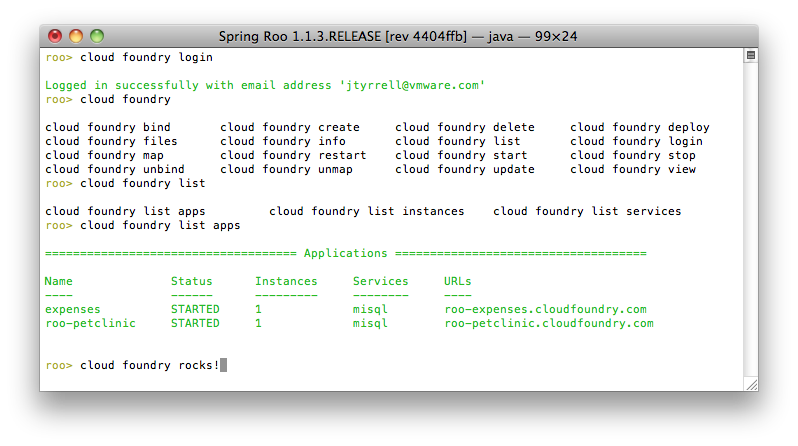
With Roo's Cloud Foundry integration you can now manage the entire life cycle of your application from the shell. Aside from stopping and starting you can: scale it, by changing the number of instances running and the allocated memory; view deployed applications and provisioned services and how they interrelate, map and unmap URLs, view detailed stats on the application, and bind and unbind services. And with Roo's clever auto-completion technology managing your presence in the cloud has never been easier.
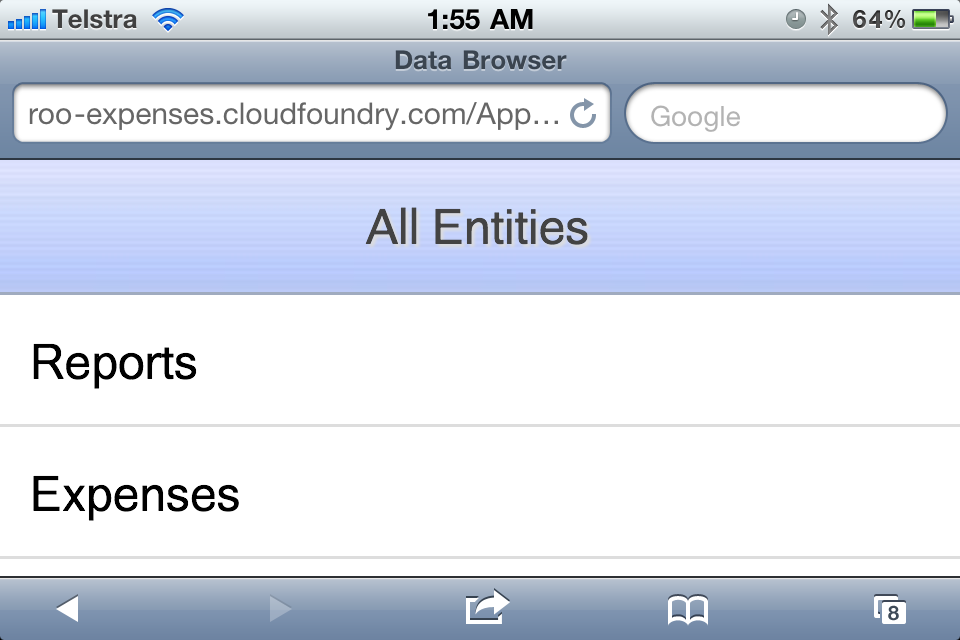
Expenses in the Cloud

Roo’s Cloud Foundry support allows you to easily deploy the common technologies used in Roo-based Java applications. For example, you can combine a familiar MySQL backend database and JPA with mainstream web front-ends such as Spring MVC and Google Web Toolkit (GWT). In terms of samples, below is a screen shot of Roo’s “Petclinic” sample running away on Cloud Foundry, which you can access at roo-petclinic.cloudfoundry.com. We’ve also published our GWT Expenses sample at roo-expenses.cloudfoundry.com. All of these samples are easily produced in a single Roo command from the shell or within Spring Tool Suite (“script expenses.roo” or "script clinic.roo").
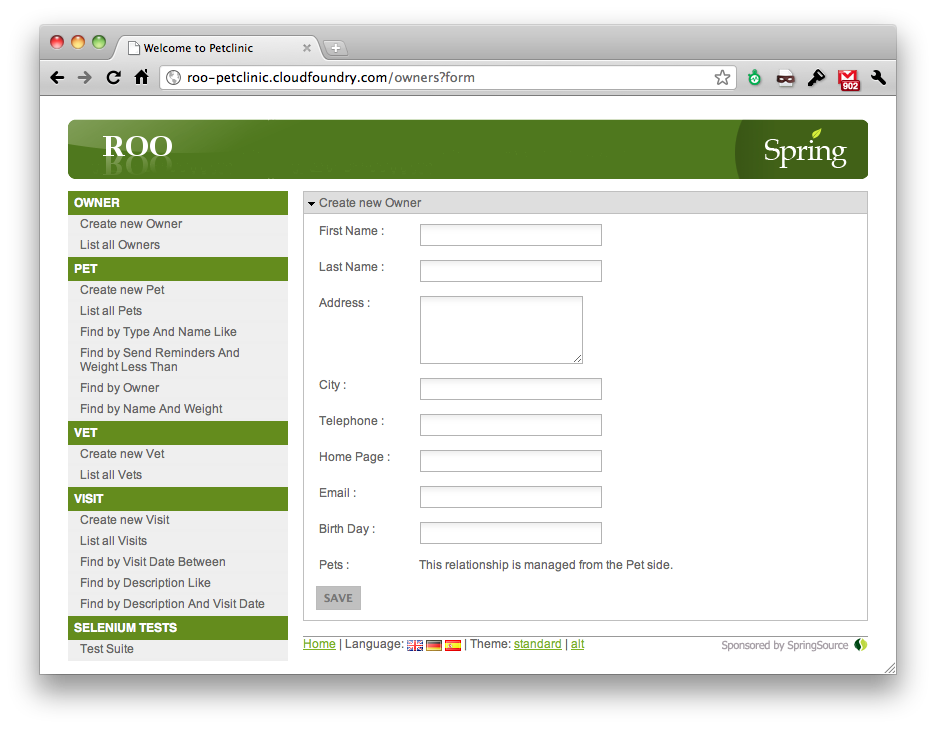
Pet Clinic in the Cloud

If you’d like to try out the new Cloud Foundry service, you'll first need a Cloud Foundry account but once you have that we’ve published detailed instructions in the Cloud Foundry chapter of our Reference Guide (Online now, but to get started quickly simply download the the 1.1.3.RELEASE of Roo, run "cloud foundry login" from the Roo shell and follow the prompts to install Cloud Foundry support). These cover how to install the Cloud Foundry add-on and get started deploying your application. To follow the instructions you’ll need Spring Roo 1.1.3.RELEASE, which we just released today and you can download here.

We hope you enjoy this new feature and service. We welcome your feedback and questions on the Community Forum.

Similar Posts

Share this Post
  • Digg
  • Sphinn
  • del.icio.us
  • Facebook
  • Mixx
  • Google Bookmarks
  • DZone
  • LinkedIn
  • Slashdot
  • Technorati
  • Twitter
 

7 responses


  1. questions from spring forum [http://forum.springsource.org/showthread.php?t=107715]

    1 oracle spatial
    2 non-structure flat database

    Could Roo support them natively?
    Or, we can get help from some add-ons?

    I haven't understant Roo deeply, and hope to get some guidance.
    Thanks.


  2. I tried to install the Cloud foundry add-on (1.1.3.RELEASE Provides VMware Cloud Foundry support for Spring Roo), but got the error below even after pgp trust of you James (pgp trust –keyId 0×81089768).

    java.io.IOException: Download URL 'http://spring-roo-repository.springsource.org/snapshot/org/springframework/roo/org.springframework.roo.addon.cloud.foundry/1.1.4.BUILD-SNAPSHOTorg.springframework.roo.addon.cloud.foundry-1.1.4.BUILD-20110415.082501-3.jar' has untrusted PGP signature
    at org.springframework.roo.felix.HttpPgpUrlStreamHandlerServiceImpl.openConn
    ection(HttpPgpUrlStreamHandlerServiceImpl.java:90)


  3. @Derik, please type "pgp automatic trust" command [1] and then repeat the "addon install bundle" command. Note you appear to be installing a 1.1.4 snapshot produced by our continuous integration server at [2]. The CI server doesn't use James' key but rather its own key. You can verify the CI server's key is present by using the "pgp list trusted keys" command [3] which should include in its output:

    >>>> KEY ID: 0x587B796C < <<<
    More Info: http://keyserver.ubuntu.com/pks/lookup?fingerprint=on&op=index&search=0x587B796C
    Created: 2011-Jan-27 20:41:51 0000
    Fingerprint: fd1af0639ac96ffb58460ab1bf2af30f587b796c
    Algorithm: DSA
    User ID: Spring Roo Build Server
    Signed By: Key 0x587B796C (Spring Roo Build Server
    )
    Subkey ID: 0x2D63E3E7 [ELGAMAL_ENCRYPT]

    You probably didn't have this key in your list of trusted keys because you used Roo before version 1.1.3 when we added this as a default trusted key for new installs. If you have an old Roo install, it won't modify your default trusted keys.

    On the add-on version number more generally, you'll usually want to install the 1.1.3 release of the Cloud Foundry add-on if you're using Roo 1.1.3. To ensure you only install the 1.1.3 release, please use the "addon upgrade setting –addonStabilityLevel RELEASE" command [4] before the "addon install bundle" command mentioned above.

    Hope this helps
    Ben

    [1] http://www.springsource.org/roo/guide?w=command-index#command-index-pgp-automatic-trust
    [2] https://roobuild.springsource.org/
    [3] http://www.springsource.org/roo/guide?w=command-index#command-index-pgp-list-trusted-keys
    [4] http://www.springsource.org/roo/guide?w=command-index#command-index-addon-upgrade-settings


  4. Hello!

    It is not clear how to log in with Roo at the first time. After entering 'cloud foundry login' command Roo says: 'An email address is required'. How should I provide my email and password?

    Thank you!


  5. @Dmitry

    The first time you login you have to supply an email and password

    try this…

    cloud foundry login –email –password


  6. "cloud foundry login –email –password" is not working or "cloud foundry login". Same message coming : "An email address is required.". Please provide the solution.


  7. when I "Update & Restart" or "Restart", the earlier entered data is vanishing. Please provide the solution.

One trackback

Leave a Reply