Get ahead
VMware offers training and certification to turbo-charge your progress.
Learn moreWhen the new open source Platform-as-a-Service (PaaS) offering Cloud Foundry from VMware launched earlier this year, it included a relational database service powered by MySQL along with the NOSQL options of MongoDB and Redis. One of the promises of the Open PaaS is to provide choice both in languages and frameworks you can develop with and in the database services that are available to use. We now have a new relational database service using PostgreSQL available. This is great since we can now choose between the two most popular open source relational databases. PostgreSQL is is a very robust and reliable database that has been around for a long time so it definitely has been battle tested.
So, is there any difference between vFabric Postgres and regular PostgreSQL from a developers perspective? No, they are functionally identical. You use the same JDBC driver and SQL syntax. The changes made are internal and related to delivering the elasticity and performance required for the cloud.
Now that we have all the prerequisites in place we can get started. First create a directory for the application and open the Roo shell. Once that is opened we can create our project.
roo> project --topLevelPackage org.springsource.data.demo.bookshelf
Now we are ready to configure the persistence options for our Roo app. I'll select Hibernate as the JPA provider and Postgres as the database. There is no need to provide any custom connection properties since we will be running this application in Cloud Foundry. The connection details are automatically managed for us.
org.springsource.data.demo.bookshelf roo> persistence setup --provider HIBERNATE --database POSTGRES
Next we need to create our Entity class for this brief example. I'll create a Book class that will be part of my new BookShelf application. I'm just going to create the Book class for now and will add the Author and any other classes some time in the future.
org.springsource.data.demo.bookshelf roo> entity --class ~.domain.Book
~.domain.Book roo> field string --fieldName title --sizeMax 200
~.domain.Book roo> field string --fieldName isbn --sizeMax 20
~.domain.Book roo> field date --fieldName published --type java.util.Date
~.domain.Book roo> field number --fieldName price --type java.math.BigDecimal
Once this is taken care of we are ready to create the web application with a controller for our Book class.
~.domain.Book roo> controller all --package ~.web
We are done, pretty painless if you ask me. Now we need to package everything up, connect to Cloud Foundry and deploy the app.
~.web roo> perform package
~.web roo> cloud foundry login
~.web roo> cloud foundry deploy --appName bookshelf --path /target/bookshelf-0.1.0.BUILD-SNAPSHOT.war
Once the deploy completes we should be able to list our current set of applications
~.web roo> cloud foundry list apps

================================================ Applications ================================================

Name                      Status      Instances     Services             URLs
----                      ------      ---------     --------             ----
bookshelf                 STOPPED     1                                  bookshelf.cloudfoundry.com
~.web roo> cloud foundry list services

=================== System Services ====================

Service        Version     Description
-------        -------     -----------
rabbitmq       2.4         RabbitMQ messaging service
mongodb        1.8         MongoDB NoSQL store
redis          2.2         Redis key-value store service
postgresql     9.0         PostgreSQL database service (vFabric)
mysql          5.1         MySQL database service
Great, we do have PostgreSQL available as an option. So, let's create a database service instance, bind it to the app and start the app.
~.web roo> cloud foundry create service --serviceName books --serviceType postgresql
~.web roo> cloud foundry bind service --serviceName books --appName bookshelf
~.web roo> cloud foundry start app --appName bookshelf
Let's see what we get when visiting http://bookshelf.cloudfoundry.com
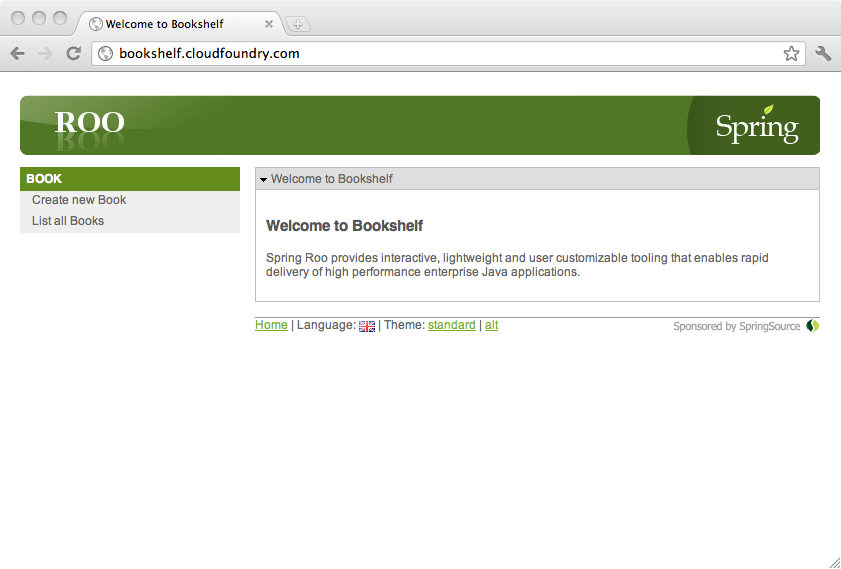
So the app is up and running and we can add and view the books on our bookshelf.
~.web roo> controller class ~.web.DatabaseInfoController
This creates a controller (bookshelf/src/main/java/org/springsource/data/demo/bookshelf/web/DatabaseInfoController.java) that I've added a DataSource and some database info retrieval code to in the index method.
@RequestMapping("/databaseinfo/**")
@Controller
public class DatabaseInfoController {

   @Autowired
   DataSource dataSource;

    @RequestMapping
    public void get(ModelMap modelMap, HttpServletRequest request, HttpServletResponse response) {
    }

    @RequestMapping(method = RequestMethod.POST, value = "{id}")
    public void post(@PathVariable Long id, ModelMap modelMap, HttpServletRequest request, HttpServletResponse response) {
    }

    @RequestMapping
    public String index(ModelMap modelMap) {
        JdbcTemplate jdbcTemplate = new JdbcTemplate(dataSource);
    	String userInfo = jdbcTemplate.queryForObject("select user", String.class);
    	String urlInfo = "?";
    	if (dataSource instanceof BasicDataSource) {
    	    urlInfo = ((BasicDataSource) dataSource).getUrl();
	}
	String versionInfo = jdbcTemplate.queryForObject("select version()", String.class);
        modelMap.put("userInfo", userInfo);
        modelMap.put("urlInfo", urlInfo);
        modelMap.put("versionInfo", versionInfo);
        return "databaseinfo/index";
    }
}
There is also a JSP file (bookshelf/src/main/webapp/WEB-INF/views/databaseinfo/index.jspx) that is used by this controller and that needs to have some code added.
<?xml version="1.0" encoding="UTF-8" standalone="no"?>
<div xmlns:jsp="http://java.sun.com/JSP/Page" xmlns:spring="http://www.springframework.org/tags" xmlns:util="urn:jsptagdir:/WEB-INF/tags/util" version="2.0">
  <jsp:directive.page contentType="text/html;charset=UTF-8"/>
  <jsp:output omit-xml-declaration="yes"/>
  <spring:message code="label_databaseinfo_index" htmlEscape="false" var="title"/>
  <util:panel id="title" title="${title}">
    <spring:message code="application_name" htmlEscape="false" var="app_name"/>
    <h3>
      <spring:message arguments="${app_name}" code="welcome_titlepane"/>
    </h3>
    <p>  The database user is ${userInfo}. </p>
    <p>  The dataSource URL is ${urlInfo}. </p>
    <p>  The database version is ${versionInfo}. </p>
  </util:panel>
</div>
Now we can build and deploy the modified application to the cloud.
~.web roo> perform package
~.web roo> cloud foundry deploy --appName bookshelf --path /target/bookshelf-0.1.0.BUILD-SNAPSHOT.war
Accessing the application we can see a new link to the Database Info Controller View that returns the following page:
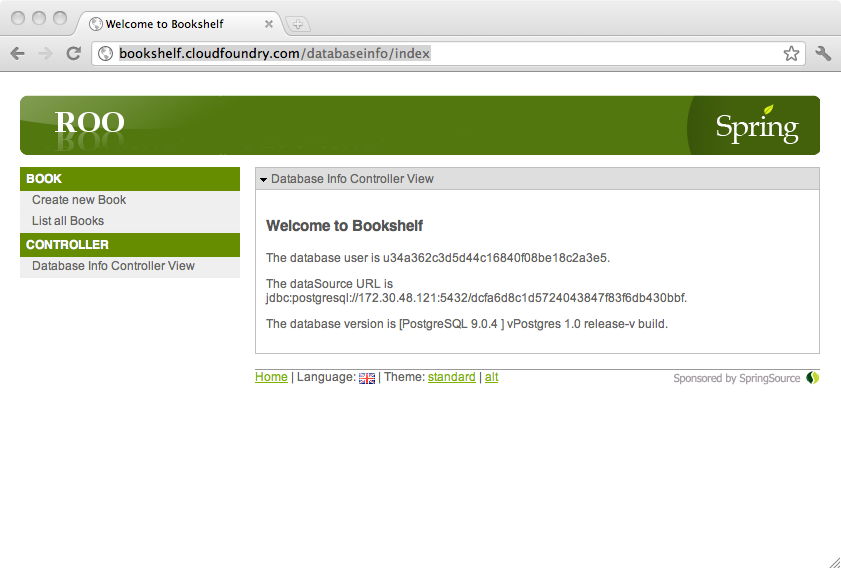
As you can see we are using vFabric Postgres in our cloud deployed app.
See Jignesh Shah's blog for more info on this new product.

VMware offers training and certification to turbo-charge your progress.
Learn moreTanzu Spring Runtime offers support and binaries for OpenJDK™, Spring, and Apache Tomcat® in one simple subscription.
Learn moreCheck out all the upcoming events in the Spring community.
View all